Placement
Go to Multi-Location Stock Info → Inventory Block (Product Page Inventory Block).
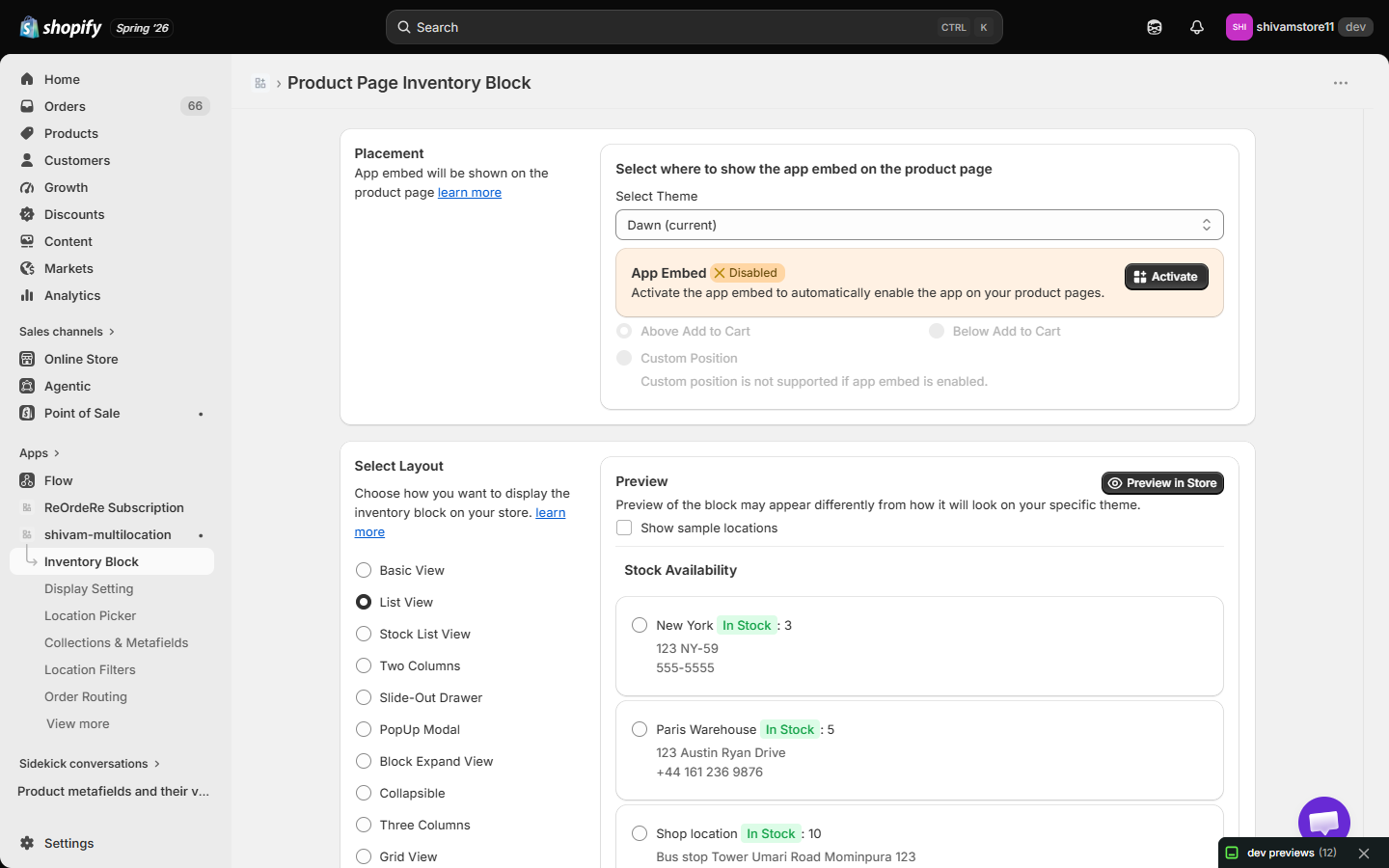
Select Theme
Choose which theme the app embed applies to (e.g. "Dawn (current)").
App Embed
A status badge shows whether the app embed is Enabled or Disabled for the selected theme. Click Activate to jump straight into the Theme Editor's App Embeds panel and turn it on.
Choose where to show the app embed
- Above Add to Cart — shows the block just above the "Add to Cart" button.
- Below Add to Cart — shows the block just below the button.
- Custom Position — lets you manually place the block anywhere in your theme using a Liquid snippet or CSS selector.
note
Custom Position is not available while App Embed is enabled. If you activate the app embed, the block is inserted automatically at the Above/Below position you choose, and the Custom Position option becomes disabled. To use a custom position, first disable the app embed in the Theme Editor.
| For inquiries, support, or assistance, feel free to reach out to us at: 📧 Email: [email protected]